Environments & Versions
Environments & Versions
Manage published versions and workspace snapshots of your MCP server
Overview
Rapid MCP supports versioning to help you manage different environments and deployment states:
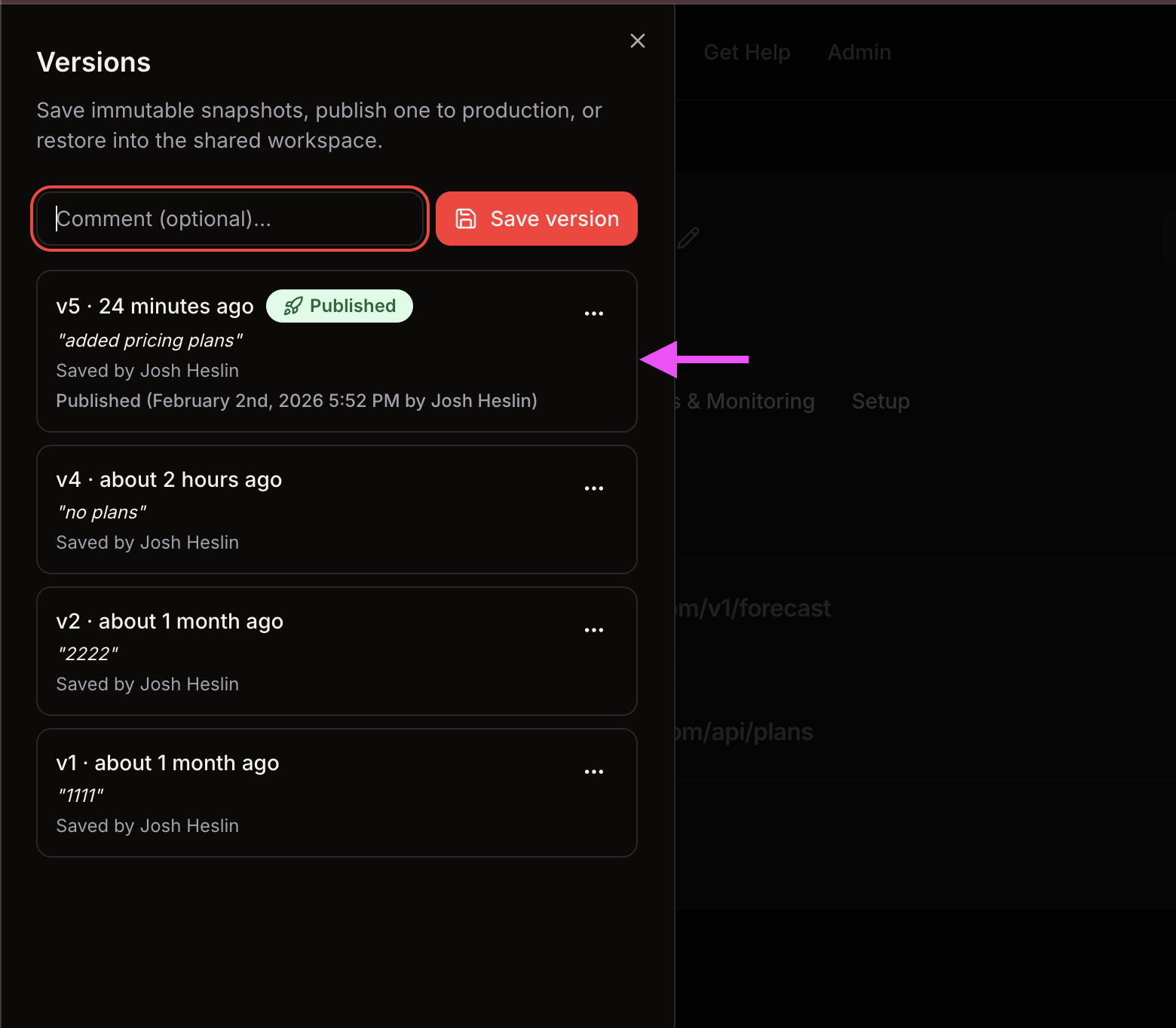
- Published versions: Immutable snapshots that are served in production
- Workspace version: The current draft state of your server (tools, prompts, resources)
By default, the main server URL serves the published version (if one exists). Use the ?version=workspace query parameter to access the workspace version for testing.
Video Walkthrough
Published Versions
When you publish a version, Rapid MCP creates an immutable snapshot of your server's current state, including:
- All tools and their configurations
- All prompts
- All resources
- Client configuration
- Authentication configuration
This snapshot is stored permanently and cannot be modified. Once published, this version becomes the default served at your main server URL.
Publishing a Version
- Go to your Rapid MCP dashboard and open your MCP server
- Make sure your workspace has the tools, prompts, and configuration you want to publish
- Click the "Publish version" button in the server menu
When you publish:
- A new immutable snapshot is automatically created
- This snapshot becomes the active published version
- The main server URL immediately starts serving this version
Main URL Behavior
The main server URL (without query parameters) serves the published version:
{
  "mcpServers": {
    "RapidMCP": {
      "url": "https://rapid-mcp.com/mcp/<serverId>/stream"
    }
  }
}
Behavior:
- If a published version exists → serves the published version
- If no published version exists → serves the current workspace version
This ensures production stability: once published, your production clients will continue using the same version even if you make changes in your workspace.
Workspace Version (Development)
The workspace version represents your current draft state. It includes all the latest changes you've made to:
server.toolsserver.promptsserver.resourcesserver.clientConfigserver.authConfig
Accessing the Workspace Version
Use the ?version=workspace query parameter to access the workspace version:
{
  "mcpServers": {
    "RapidMCP": {
      "url": "https://rapid-mcp.com/mcp/<serverId>/stream?version=workspace"
    }
  }
}
Use cases:
- Testing new tools before publishing
- Developing and iterating on prompts
- Experimenting with configuration changes
- Local development environments